

Track your shoes
See how far each pair has gone and when it may be time for new ones.
3 steps · 2 min · in the app
Add a pair
My account → My shoes → Add shoes. Brand, model, and if you already run in them, roughly how far they've gone.
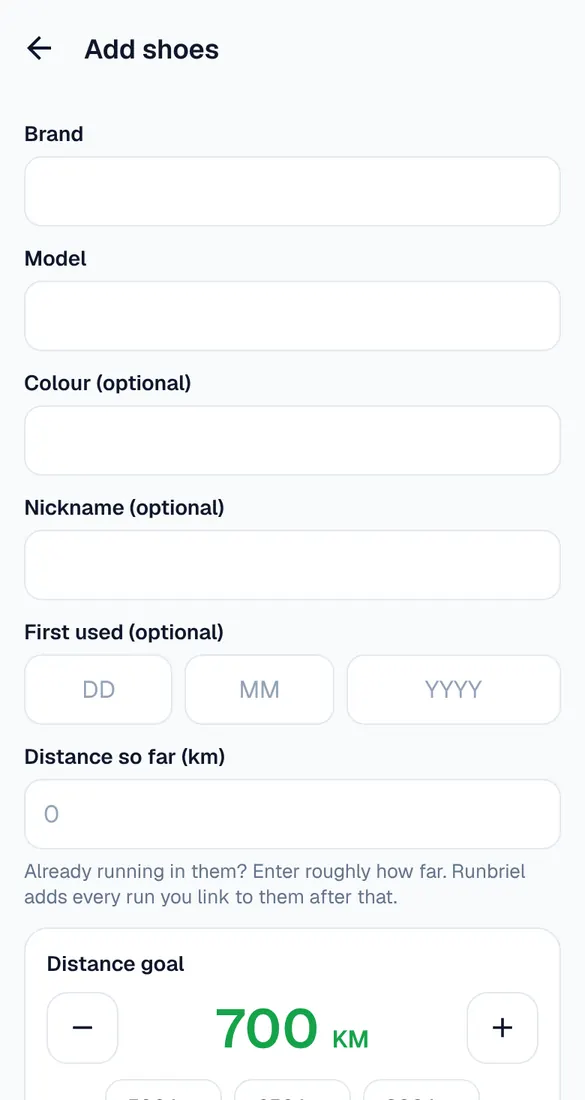
Set a distance goal
Many shoes are replaced between 500 and 800 km – it varies a lot. Pick a goal; Runbriel shows how close you are.
Default shoes
Set one pair as default: every run you record gets it. On the run summary you can pick another pair, or none.