

Done, skipped or on another day
Mark workouts by hand, skip one, or count a run you did on a different day.
4 steps · 2 min
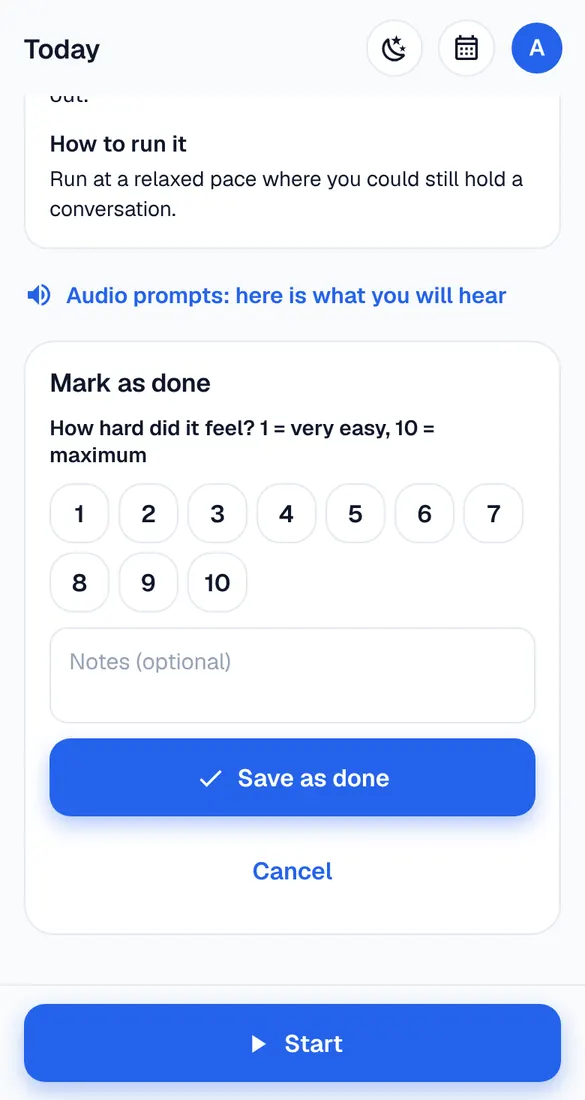
Mark as done
Ran without recording? On the session screen tap Mark as done, say how hard it felt (1–10), add notes if you like and tap “Save as done”.
Skip
Can't do it at all? Tap Skip. The plan keeps going; don't squeeze missed runs into the next days.
Ran it on another day
Record it as an extra (or log it), then open the planned workout → “Already did it?” and pick that activity. It counts and stays on its own day.
Changed your mind
Open the workout and tap Undo “done” or Undo “skipped” – it's planned again.