

Recording stopped or bad GPS
What to do when a run has gaps, stops with the screen off, or the distance looks wrong.
7 steps · 3 min · in the app
Look at the summary
At the bottom of the run summary, the recording card tells you what happened: gaps in the GPS, or Android restarting the app.
Gaps with the screen off
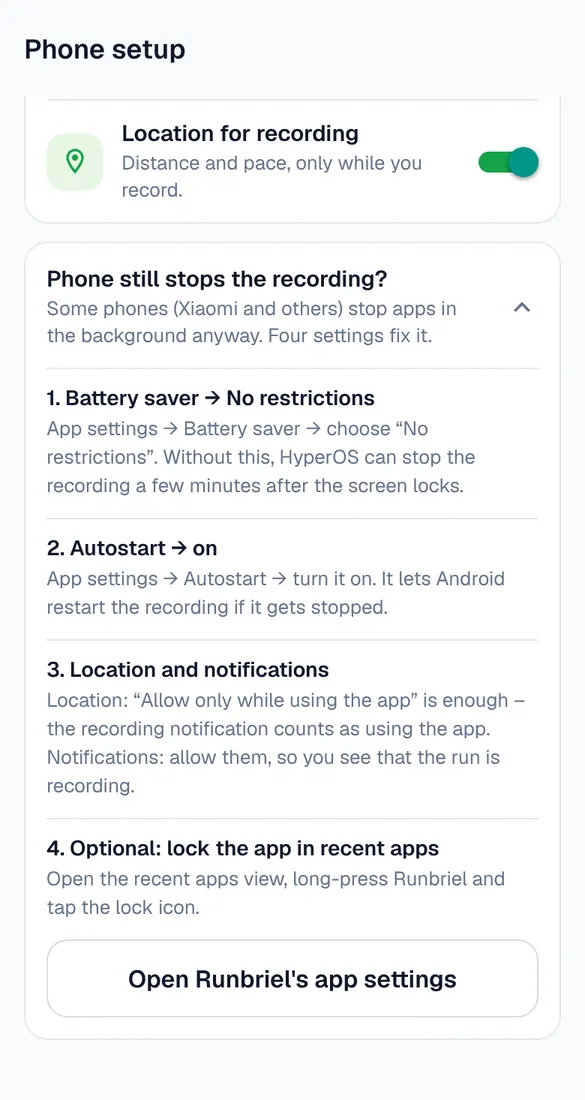
Your phone stopped Runbriel to save battery. My account → Phone setup → “Phone still stops the recording?” and do every step for your phone.
Samsung
Settings → Apps → Runbriel → Battery → Unrestricted. Also Settings → Battery → Background usage limits: make sure Runbriel isn't in Sleeping or Deep sleeping apps.
Xiaomi, Redmi, POCO
App settings → Battery saver → No restrictions, and Autostart on. Then lock Runbriel in recent apps: open recent apps, long-press Runbriel, tap the lock.
Huawei and Honor
Settings → Battery → App launch → Runbriel → Manage manually, with all three switches on.
Google Pixel and others
Settings → Apps → Runbriel → App battery usage → Unrestricted.
GPS jumps or short distance
Wait for “GPS ready” before you start, outside with a view of the sky. Tall buildings, trees and tunnels make GPS less exact – a few percent off is normal.