

Your first 10 minutes
From a new account to your first planned workout: set up the app, pick a plan and find your way around Today.
6 steps · 3 min
Create your account
Tap “Create account” or “Continue with Google”. With email, confirm your address with the link we send you (check spam if it doesn't arrive), then log in.
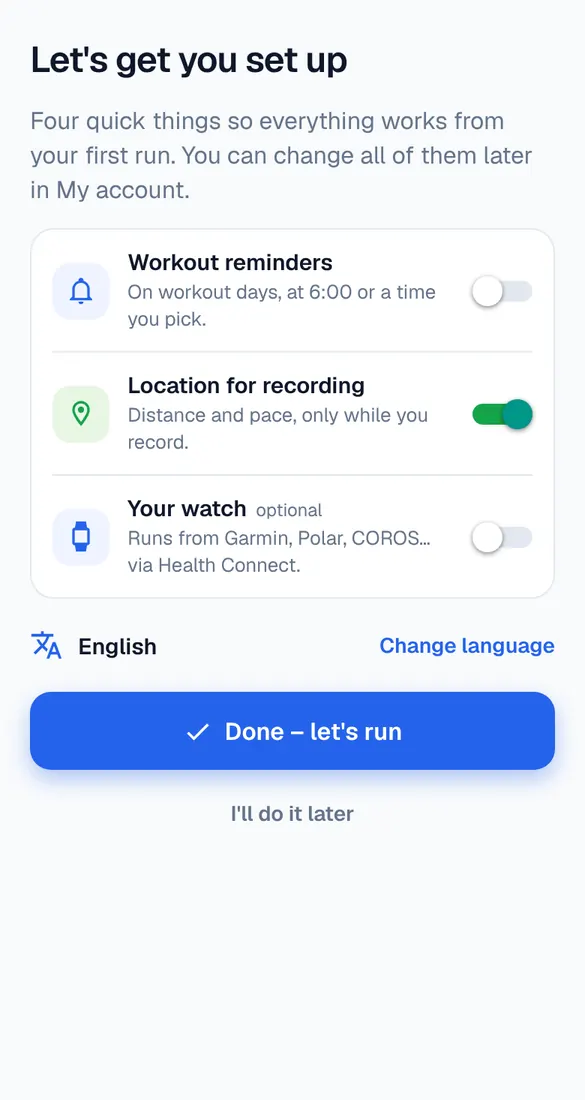
Four quick settings
The first time, Runbriel asks about workout reminders, location for recording, your watch (optional) and your language. Turn on what you want – you can change all of it later in My account.
Pick a goal
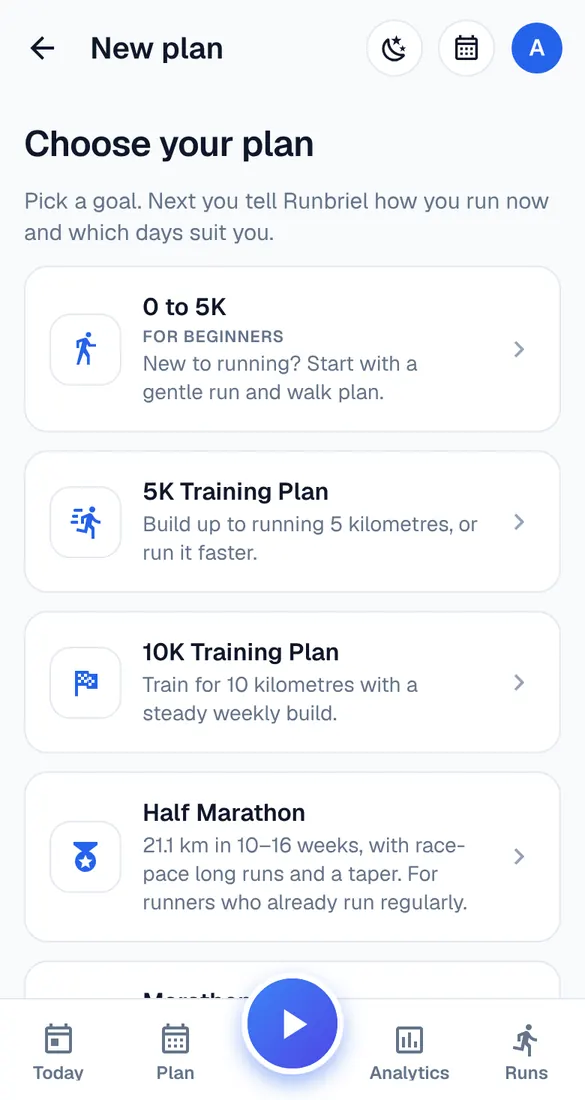
Choose a ready-made plan – 0 to 5K, 5K, 10K, Half marathon, Marathon, Build endurance or Welcome back to running – or build your own plan.
Tell Runbriel where you are now
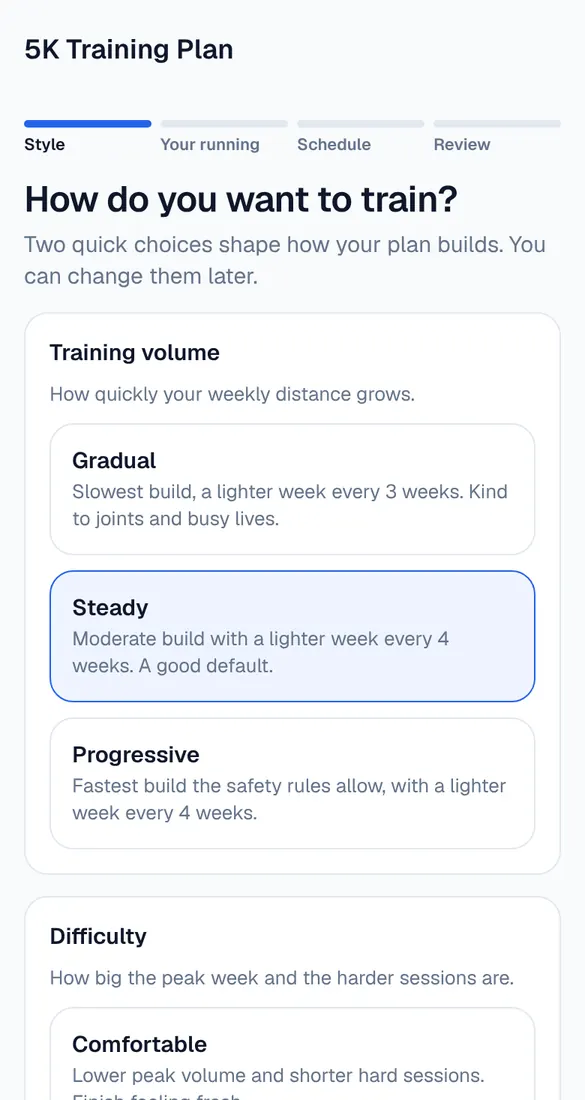
Answer a few questions: how your plan should grow, how much you run now, your longest recent run, the days you can run and your long-run day. Be honest – a plan that starts where you are works best.
Check your plan
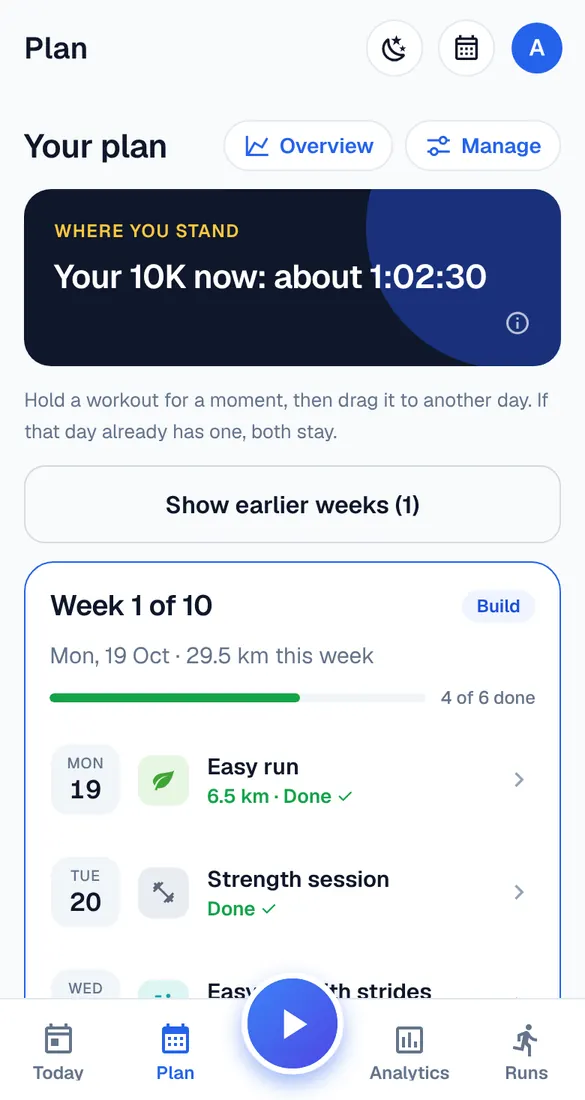
You see how your plan was built and what it can do for you. The Plan tab shows every week; tap a workout to see what to do.
Use Today every day
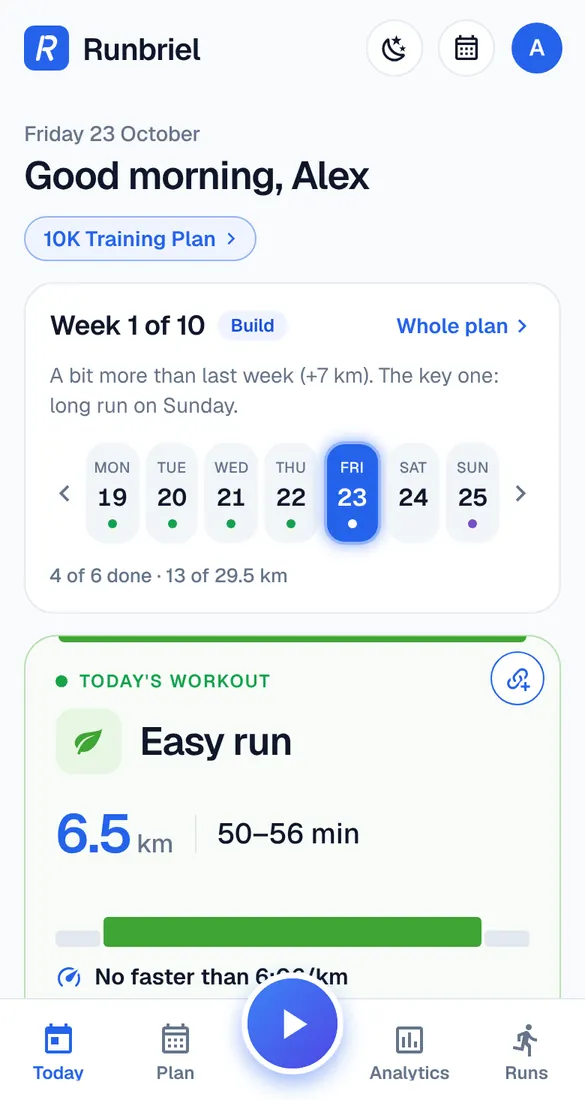
Today shows this week, today's workout with its distance, time and pace, and the steps. Tap the workout card to open the session screen, with Start at the bottom.
Good to know
- Not sure which plan? See the guide “Which plan is right for you?”.
- Set up your phone before your first recorded run – see “Set up your phone for recording”.