

The daily check-in
One tap before you run, so today's workout fits how you feel.
4 steps · 2 min · in the app
Where it is
On the session screen of today's workout, under the action buttons: “How do you feel today?”. It starts on “Ready to go”.
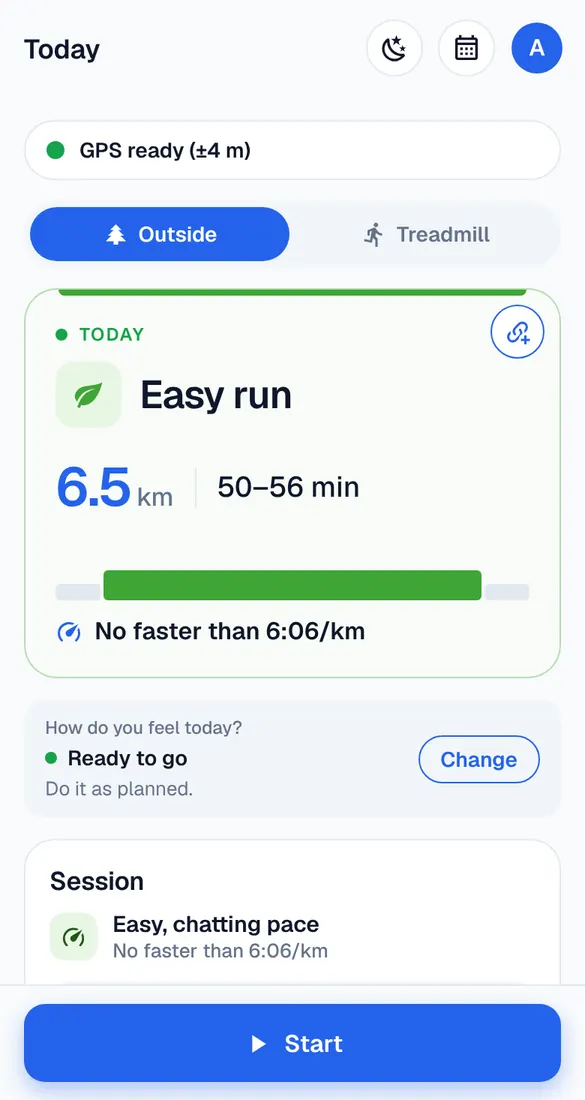
Pick what fits
Ready to go – slept OK, legs feel fine. A bit tired – short night or heavy legs. Not today – feeling ill, or something hurts. Not sure? Answer 3 quick questions instead.
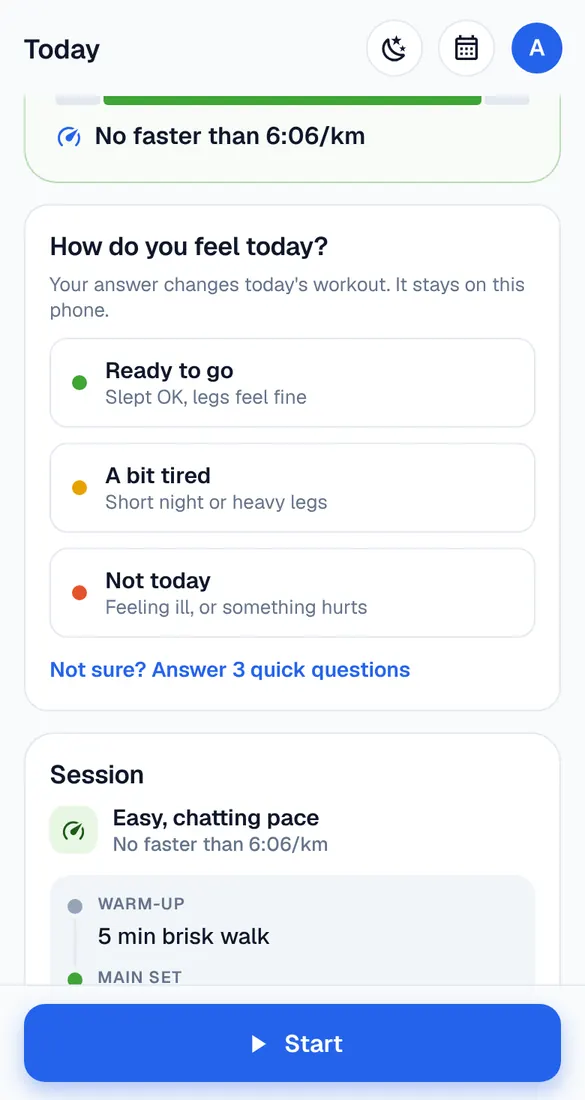
What changes
With “A bit tired”, the easier version is suggested and Start becomes “Start the easier session” (or tap “Do the full one”). With “Not today”, rest is suggested – move the workout to another day, or tap “Run it anyway”.
Something hurts?
Pain is different from being tired. If something hurts – a joint, shin or foot – don't run through it. Rest, and get advice if it doesn't go away.
Good to know
- Your answer stays on your phone; it isn't saved in your account.